


Should i post images directly to the forum or host them somewhere else?
Heck yes you should post them directly to the forum. We want pictures of your cool creation, and we also never want to lose them.- We have the technical resources to handle it.
- We have image recompression technology like social media sites; so you don't even need to resize things before you upload, the image just needs to be below 20mb!
- Our software takes a copy of external images so that if some image hosting service goes out of business, forum posts don't lose those images like back in the day. So it's unnecessary to upload them somewhere else first

Essential cyber-etiquette: Keep your personal information safe by not posting it
ES is the largest website on it's topic. We are also popular on search engines. As a result of this, we have a higher than average count of bots that scrape information from our site, looking for email addresses and other contact info to spam.We have well above average protection against these kinds of bots but there is no such thing as perfect protection. So it's worth considering protecting your info.
We strongly suggest you not post things like phone numbers, email addresses, or full names on the forum. In some cases we may even delete this information for your own safety. This should only be transmitted via a private message.
Unfortunately it's a nasty internet out there these days!
Try our search - it's good!

By default, our search uses Google, but it can use our forum software ( Xenforo ) search engine if you hit the 'XF' button.
If a search require Xenforo, it will only allow the 'XF' search to provide you better results.
With the Google search, you can expect good results on the first page most of the time
Turn On Darkmode
Do you like a darker look for ES?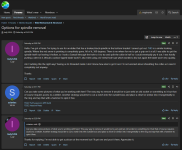
Easy!
Check out the theme switcher in the bottom left of the page. Select the 'Shades of Grey' theme.
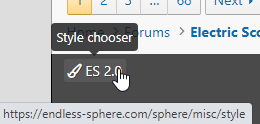
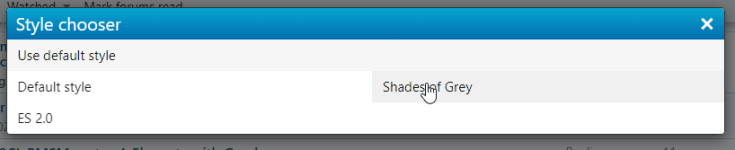
Unfortunately, this doesn't have all the features of white mode, but white mode and dark mode should be equal in 2026.
Alerts and Email settings
These settings can be found by clicking your profile on the right top: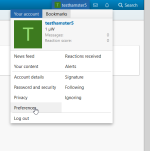
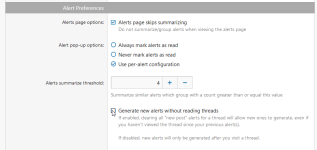
The defaults are designed to be kind to your inbox. They will stop emailing you if you don't revisit the thread you were emailed about.
The negative of this is that new people might just see 1 reply to their thread may have a false impression our forum is less active than it actually is and not come back. This hurts the morale of eager question-answerers and forum growth so at one point we will turn this 'full blast' email setting on as a default.
Nonetheless, the 'full blast' and 'kind' can be toggled with the 'generate new alerts without reading threads' setting.
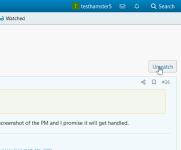
If you have too many alerts/emails from one thread, you can always unwatch it, BTW:
Another option you should know about is alert summarization:
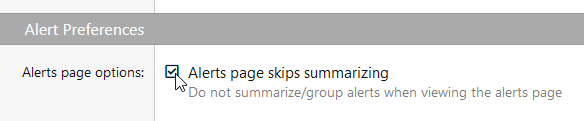
The summarizing option is mostly designed for when dealing with firehose of likes for content. Ie getting +20-100 likes for one post in a short period of time (or one person). It crushes them into a single entry to hopefully avoid obscuring useful alerts while still giving users that feel of +1 Likes.
This is similar to how a social media site consolidates likes/comments when the notifications tab is really busy. If you uncheck this box, alerts will have that behavior.
Last edited:


