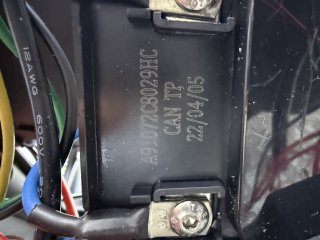
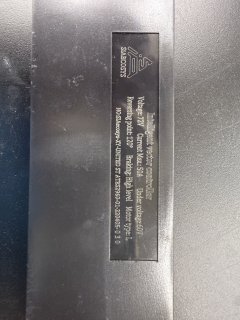
I have the same machine — a PHAT Golf HD, and my controller is a near-twin of yours. Case stamp A91072C8030HC / CAN TP / 22/06/01 vs your 29HC / 22/04/05. Sequential lot numbers, seven weeks apart, same PHAT order. Posting what I've worked out in case it helps, and because there's nothing else on the internet about these.
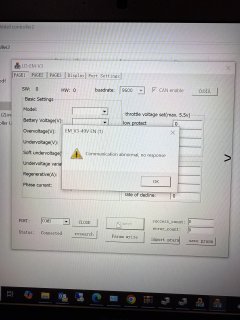
@Tommytexzr1 — I think I can see your problem in your error screenshot.
You have CAN enable ticked but baudrate set to 9600. The VOTOL manual is explicit: "Without CAN: 9600 / With CAN: 115200." Your error_count is 0, meaning you got no response at all rather than garbled data — which is what a baud mismatch looks like. Worth trying 115200 before anything else.
What I've confirmed since:
1. It is an EM50SP, CAN version. Vincent at SiAECOSYS/QS Motor confirmed by email: "the controller we offer to PHAT is EM50SP controller with CAN bus version." (Damon initially told me it wasn't their product — worth pushing past that.)
2. Measured 121.3 Ω between pins 14 and 15 of the 16-pin main connector, battery disconnected. That's a CAN termination resistor, so those pins are confirmed as the bus.
3. PHAT recolored the entire harness. This is the thing that wasted me a week. The factory colors (orange = pin 14, blue = pin 15) do not exist on this scooter. On mine:
pin 14 (CAN-L) = purple/white, which becomes solid white after a 9-pin connector
pin 15 (CAN-H) = blue/white, which becomes solid brown
pin 16 (e-lock) = thick orange → runs to the JD2912 relay
Don't hunt by wire color. Read the position numbers molded into the white 16-pin housing. I validated the map five ways: pin 16 → the relay, pins 6/7/8 → the throttle 3-pin, pins 14/15 + 2 → a 9-pin at the dash, pin 1 → the rear brake. All matched the factory pinout.
4. There is no debug pigtail — PHAT omitted it, same as yours. But the official EM30SP/50SP/100SP/150SP wiring sheet shows the 4-pin debug port is just a breakout of pins 8/11/14/15. So tapping 14/15 directly is the same net, not a workaround. Dongle is USB-powered, so only the two CAN wires are needed — do not connect pin 8 (+5V).
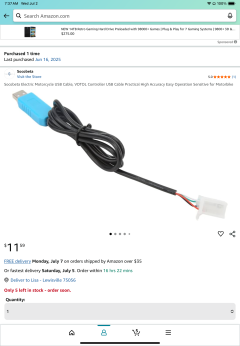
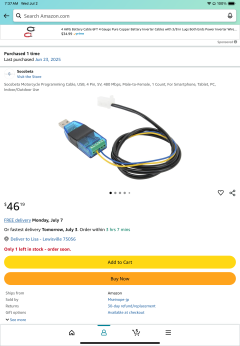
5. Cable. SiAECOSYS sells three. Their chart splits by generation, not name: "New version" is the -2/-4 series; "Old version" (plain black plug, exactly two wires, red/orange + blue) covers EM50P/EM100SP/EM150SP — i.e. first-gen SP, which is us. I ordered the "Old version Cable" from e-smartway ($33).
Still to try when it arrives (posting these in case anyone can confirm or rule out):
115200 with CAN enable
Swapping CAN-H/CAN-L — the manual notes some models need them exchanged
The ~ + Shift advanced page, using Auto_B for the CAN baud
Making sure the controller is properly woken via the e-lock line before connecting
Cable hasn't landed yet so I haven't actually connected — no success to report. Will update either way.
Goal is the same as Tommy's: restore the factory high gear. These shipped as 8 / 13 / 19.8 mph and the courses locked the middle. 13 ÷ 19.8 = 65.7%, which smells like a Speed ratio somebody typed in.
If anyone has an EM50SP .ini or has connected to one over CAN, I'd love to hear it.