jlow4
New here
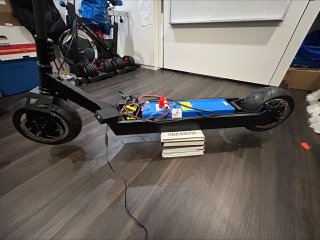
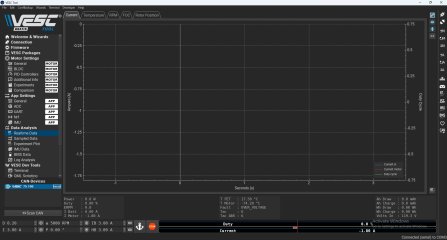
I decided to custom built my own scooter and Im having issues with the VESC software to program the controller.
I was able to get the motor spinning one but of course as soon as I decided to screw around with the settings everything fell apart.
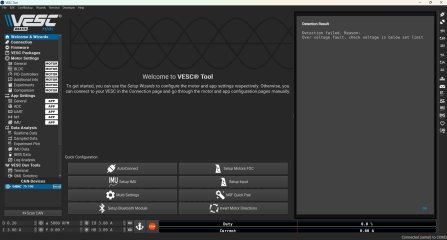
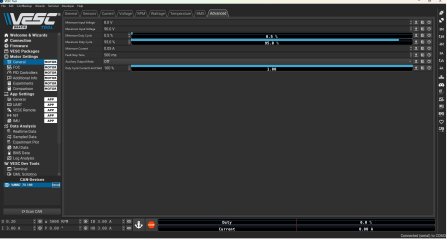
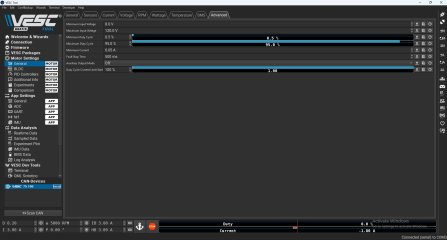
I believe Im entering all the parameters correctly however It keeps giving me a "detection failed, Reason: Over voltage fault, check voltage is below set limit"
Main components are as followed
Customer frame designed in Autodesk Inventor and welded in my garage.
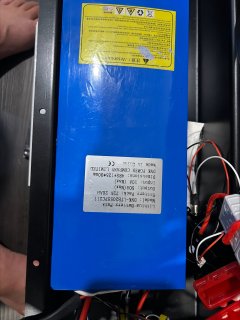
DNK Lithium battery 72V 50amp max output with 10 amp max input
UUMotors - 72v 3500w 90/65-6.5 tire - 100km/h 72v 3500w 90/65-6.5 road tire ultra scooter motor - UU Motor Retail
Flipsky 75100 controller - 14-84V 100A controller Flipsky 75100 75V 100A Single ESC Based on VESC For Electric Skateboard / Electric Scooter / Ebike Speed Controller
Has anyone ever ran into this issue?
I did go through the forum as I am new to this project slash technology but I wasent able to find an answer that satisfied my question.
I was able to get the motor spinning one but of course as soon as I decided to screw around with the settings everything fell apart.
I believe Im entering all the parameters correctly however It keeps giving me a "detection failed, Reason: Over voltage fault, check voltage is below set limit"
Main components are as followed
Customer frame designed in Autodesk Inventor and welded in my garage.
DNK Lithium battery 72V 50amp max output with 10 amp max input
UUMotors - 72v 3500w 90/65-6.5 tire - 100km/h 72v 3500w 90/65-6.5 road tire ultra scooter motor - UU Motor Retail
Flipsky 75100 controller - 14-84V 100A controller Flipsky 75100 75V 100A Single ESC Based on VESC For Electric Skateboard / Electric Scooter / Ebike Speed Controller
Has anyone ever ran into this issue?
I did go through the forum as I am new to this project slash technology but I wasent able to find an answer that satisfied my question.