Here are two important updates based on my latest experience -
Display update failure
-----------------------------------
(I hinted about this before, and it is now confirmed by me again)
If you have an Android version (in my case 13)
that results in 'Update Failed',
an interim solution before a fix is available,
is possible IN THIS ORDER -
(1). Install the App: 'nRF Connect for Mobile' and START it
a. Turn off the display
b. Enter display update mood:
by first holding down both display ↑ ↓ keys
and then while keeping both these arrow keys pressed,
turn on the display.
(2). Start the 'Lightest App'
Select "DEFUTARG"
a. A question will now pop up in the phone notification
area (if it is allowed in your settings):
"Do you want to debug the connection?"
Select "Yes and open"
Then "Tap here to start update" ... READY!
@Pilot Engineer
We need more easily understood descriptions related
to the comments below -
In the manual v. 19, display v.57
the description for:
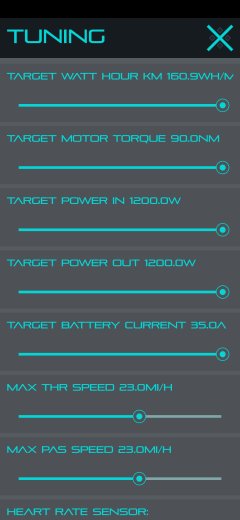
Settings → Tuning → Max val → *Voltage*
is missing.
(the range is: 2.80 > 4.20)
I had set it to 3.80 just assuming it concerned
the lowest allowed ref. cell voltage used in
calculations.
Then I forgot about it for some days .. resulting in when
reaching a steep hill days later, all motor
assistance was gone.
I was just about to request a repair return,
then remembered that change I made -
and set it to 3.35.
Now the motor works!
A description for this is needed.
Guessing again - is that a setting for the
throttle and torque sensors?
BUT ...
Settings → Bike → *Advance → Throttle(High/Low)*
is missing in the displays' menu,
but is described in the manual?
I am supposed to have the 'Super Hero Pack'
if that matters?