• Hello ES! We could use some help to get us past the finish line on building the new knowledgebase for the forum.
    Can you donate? Please see our fundraising page. Thank you!

Bafang Canable Pro Master - discussion

I have a question about the thumb throttle:

In the Bafang Config program for UART, you can configure the thumb throttle in much greater detail.
You can set: start current (which is the same as acceleration), max. speed, and assign an assist level.

This allowed me to limit my thumb throttle below the legal 6 km/h and set it to 25% current, so that I can use it as a really powerful start-up aid.

This is VERY useful uphill and in stop and go traffic.
It can also be used as a powerful walk assist on steep inclines. (E.g. a 30% gradient in the station underpass)

Is this also possible with the CAN bus version, or do the controller and programme not support this?

Translated with DeepL.com (free version)
 
Last edited:
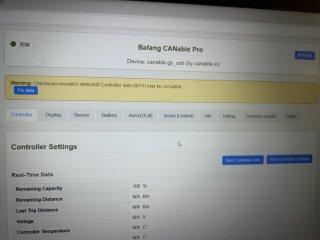
When I try to modify data on the M560, it shows the error 6011 and the data does not get updated. What is the problem?
The M510 can modify data normally.
 

Attachments

  • IMG_4310.jpeg
    IMG_4310.jpeg
    2.6 MB · Views: 13
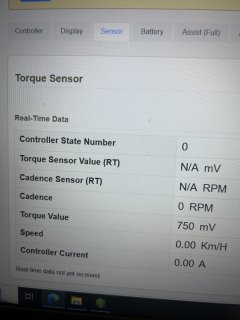
my M560 and M510 motors, the torque sensor only shows these data
The TorqueSensor Value does not display the torque output voltage; it only shows Cadence (rpm).
What's the reason? Is this normal?
 

Attachments

  • IMG_4311.jpeg
    IMG_4311.jpeg
    2.5 MB · Views: 11
node logger-cli
Works! :cool:

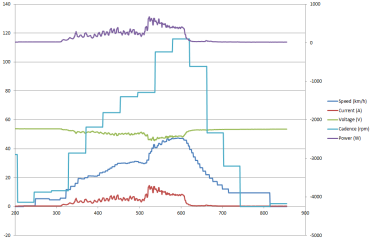
I just tried it on the roller trainer.

C:\Temp\bafang_canable_pro-master>node logger-cli
[CanBusService] Attempting to initialize CAN device with candlelightjs...
Start startup ===================
Startup Found canable gs_usb
Request Set Bitrate to 250000
Started CAN Ok
End startup ===================
[CanBusService] CAN device started successfully at 250000 bps. Device: canable gs_usb (by canable.io)
Polling started
[CanBusService] CAN device polling started.
[RequestManager] Starting outgoing queue processor.
CAN Bus Initialized. Listening for frames...
New log session started: C:\Temp\bafang_canable_pro-master\logs\log-2026-03-29-17-44-45-n1.csv

Shutting down...
-------------------------------------------------------------
[CanBusService] Stopping CAN device...
[RequestManager] Stopping outgoing queue processor.
[RequestManager] Clearing all pending ACK requests, timeouts, and outgoing queue...
done polling
Start stop ===================
stop Disable Hardware ===================
CAN Hardware disabled.
End stop (Successful) ===================
[CanBusService] CAN device stopped.
Cleanup complete.

C:\Temp\bafang_canable_pro-master>

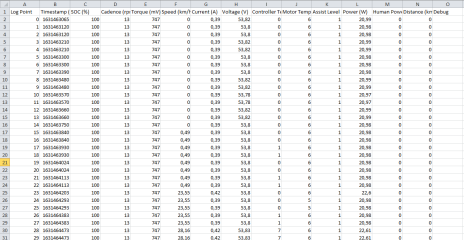
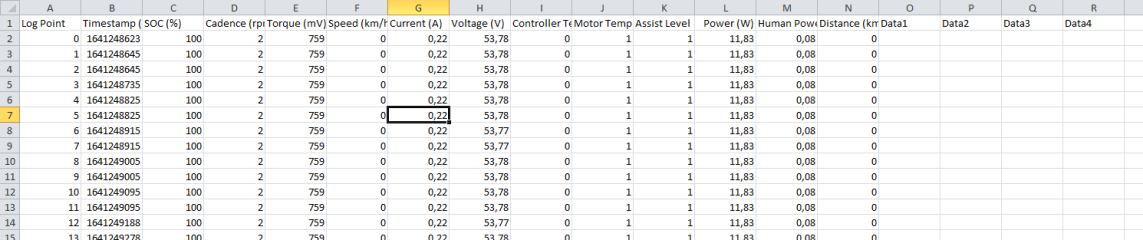
But the Debug frame is not logged properly yet. There are four channels of information in it, each in little endian 16bit representation.
The debug column is simply empty at the moment. Perhaps you can add four columns, labeled with Data 1, Data 2, Data 3, Data 4.

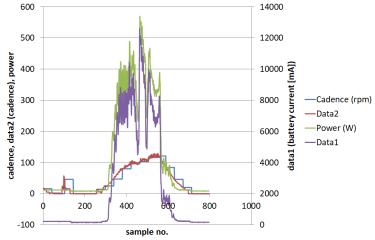
The content of the data changes, depending on what I want to look at for debugging the OSF ;)

1774799734430.png


The regular candence information for the display is updated not very often in my firmware :)
1774800606299.png
 
Last edited:
Not an expert but according to AI its big endian.
you are right! :)

I just tested it, there is no data in the columns :(

Maybe line 10 has to be with the hex qualifier?
Code:
debugId = "0x01020304";
Edit: I just tried that, it doesn't solve the issue :(

1774809401008.png
 

Attachments

  • log-2026-03-29-20-27-56-n2.csv
    43.1 KB · Views: 2
Last edited:
The regular candence information for the display is updated not very often in my firmware :)
In stock bafang firmwares this refresh rate is up to HMI.
HMI is "asking" for frames "0x00113200" and "0x00113201".
Logger is doing the same as HMI but faster, every 50ms.
 
HMI is "asking" for frames
That's the way I do it also, but my answers are not on the asked frames. So the cadence information is answered to a frame from the display, that is not send very often. But this sould be easy to fix.
Edit: I just see, that the cadence is in the same frame as the distance. I reduced this message frequency, as the update of the distance only works in bigger intervals. But I can change it, that the frame is sent in regular frequency and only the distance information is updated in longer invervals.
https://github.com/stancecoke/BAFAN...b8ae0c241f6fe2e042b5a3/src/CAN_Display.c#L281
 
Last edited:
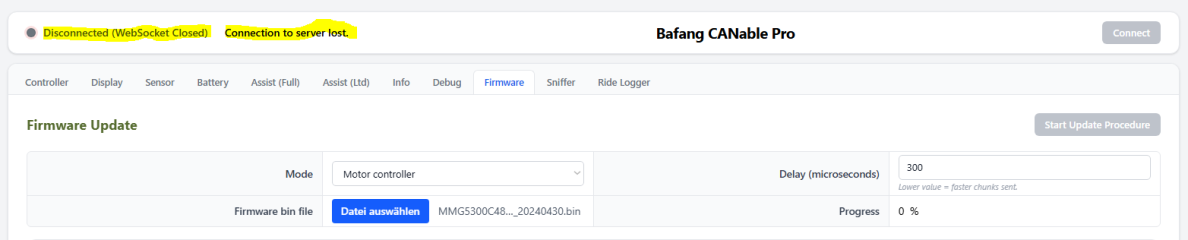
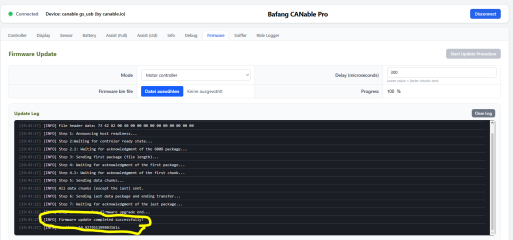
Last rls v2.0 with:
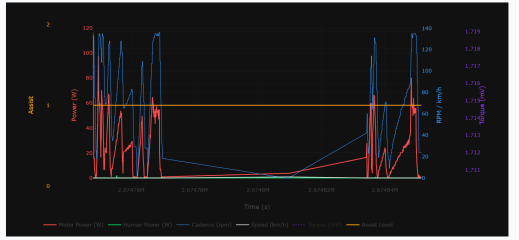
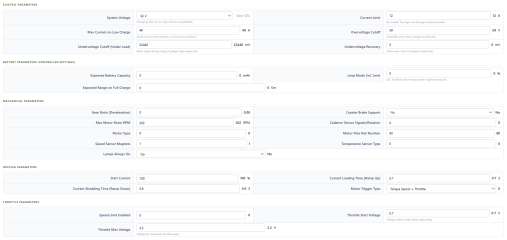
Wow! It looks completly different now! Just tested the logging function :cool:

1775842658363.png


But I have to rewrite my documentation for the OSF now, all my screenshot are outdated! :ROFLMAO:

1775842937685.png

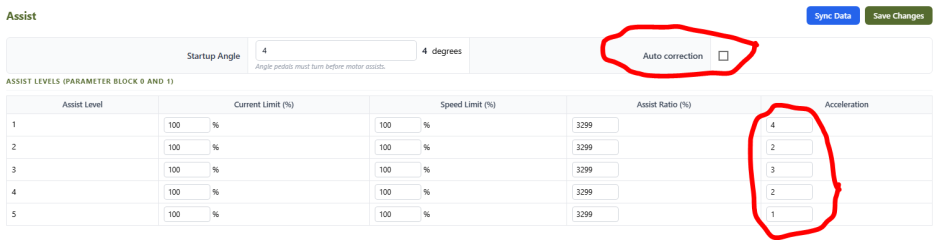
The "auto correction" can be switched off, so we can define any filter for any assist level, great! Thank you!!!(y)

1775843117845.png
 
  • Like
Reactions: mdi
Thank you mdi for your work!

Could you please add a display of the signal from the throttle trigger as well as from the torque sensor?
 
Torque sensor value(mV) is allready there.
As for throttle trigger did we have CAN info about it ? (CAN Frame and data byte)
 
Back
Top