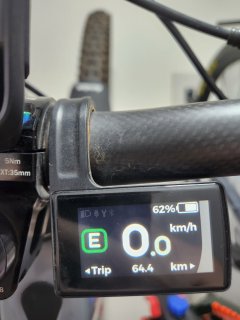
This is awesome mate, I've just come across this forum which is perfect timing as I'm keen to try out the 48v firmware on a CEF50 which I've just finished.Hi all,
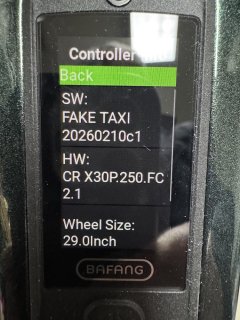
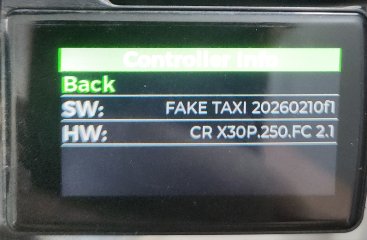
After some discussion, we decided to go ahead and adapt FAKE TAXI for the remaining battery configs: 10S, 12S, 13S, and 14S. Keep in mind that these are untested firmware versions. Everything was modified without verification, so please approach them with caution (at least until someone tests and confirms that everything works as expected). The archive includes a README with details about the naming scheme - for each battery, firmware was prepared based on the previous 'v' and 'w' versions (in short: 'a' and 'b' for 10S, 'c' and 'd' for 12S, 'e' and 'f' for 13S, and 'g' and 'h' for 14S). Discharge curves and battery parameters are also included. Voltage levels were recalculated proportionally based on the 11S battery.
That's all for now. Any feedback is welcome - both for DIY batteries and original ones with a CAN-based BMS.
rekrezeb
Link: Proton Drive
File: FT_2026_02_02_public.zip
SHA256: 3ce5dfe08058c82bd3da3e190b71eda4a55dddec1bb3280942da59b2be1d280a
The only issue i have right now is that when trying to login to Besst server (using official Besst tool) I keep getting an error "Abnormal Network. Please check your network and try again" - the tool can read my M820 settings but if i change a parameter i can't connect to upload. Has anyone here come across this - I turned off windows firewall, turned off antivirus and used 5g not wifi but still couldn't solve it? All help greatly welcomed!
 As for the 'Maximum current' parameter (bit 1), its value is taken from a hardcoded variable. The same applies to the 'Undervoltage' parameter (bits 3–4), from which the 'Recovery voltage' (bits 5–6) is calculated. So in this case, I didn't need to replace anything and you're seeing the correct values. All of the above applies to the situation right after flashing the firmware, when the default value of the CAN frame buffer with ID 6011 is set. Any changes made later are saved, but they have no impact on how the software actually operates.