• Hello ES! We could use some help to get us past the finish line on building the new knowledgebase for the forum.
    Can you donate? Please see our fundraising page. Thank you!

Luna M600 Ludicrous V2 reverse engineering and firmware making

It looks like we have a situation guys!

If I understand that VESC firmware architecture correct, Luna, or Marcos or whoever is responsible for the firmware did not release the firmware for the new version of the M600 controller (the one I have)! And the released VESC firmware is not compatible with the new version of the controller!

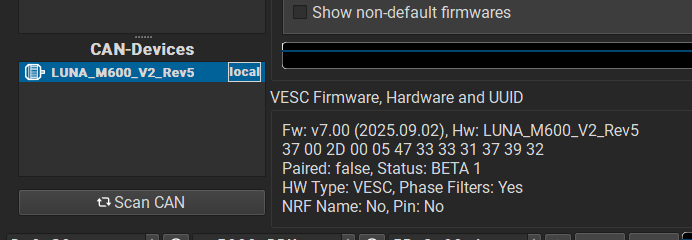
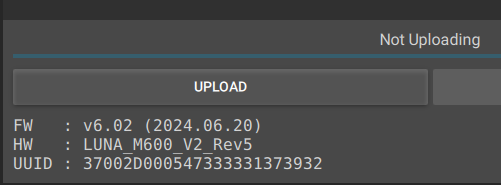
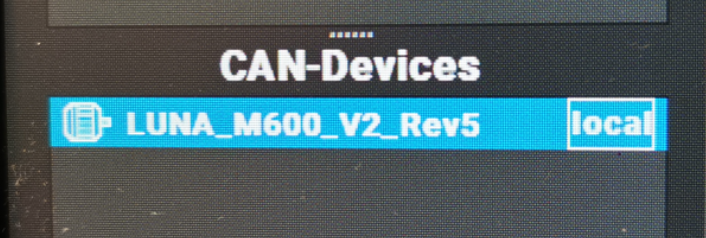
Please correct me if I am wrong. Here is the firmware name of my Luna controller (LUNA_M600_V2_Rev5)
1764232863459.png

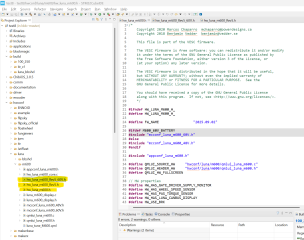
That firmware name is taken from the hw_***_.h files where*** is the hardware name.

Luna M600 controllers have multiple hardware revisions with some significand differences between those, but I do not see the "hw_LUNA_M600_V2_Rev5.h" file in the VESC firmware files for the Luna controller I have!
1764233533176.png


I noticed the weird thing when I started checking the pins those files declare. Some pins functions do not match the controller I have!

For instance the programming pin for the rotary encoder chip on the MCU is pin PD2 according to the "hw_luna_m600.h" file
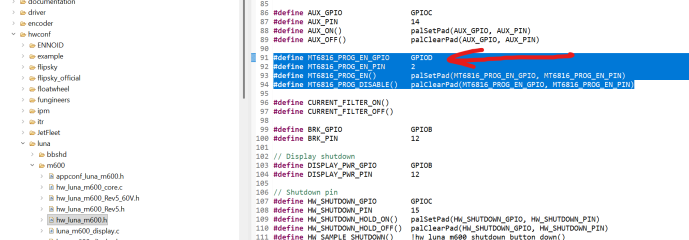
1764233801709.png

But that pin on the new Luna M600 controller is not for the rotary encoder at all. That pin is for turning ON and OFF the phase C sensing decoupling capacitor!
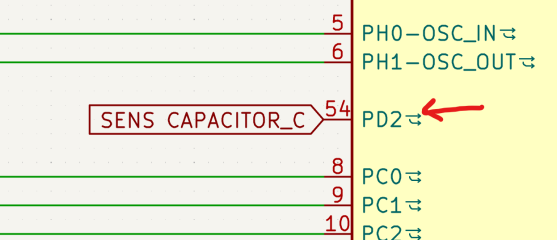
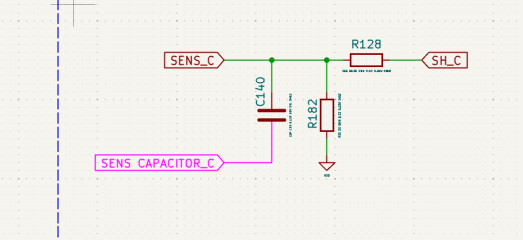
1764233898796.png

1764233971509.png

So the main question is where we can find the source code for the new Luna M600 controller? It looks like Markos did not released it for some reason! What is going on here?
 
Last edited:
OK, but why the declared pins do not match? Is it overridden somewhere else?

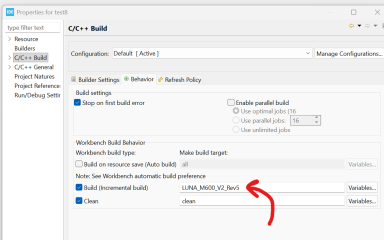
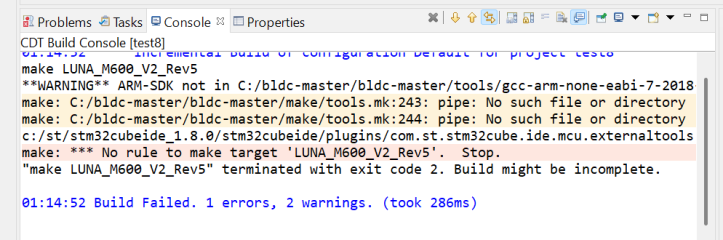
And when I compile the firmware how do I define that I need to build "LUNA_M600_V2_Rev5" firmware?

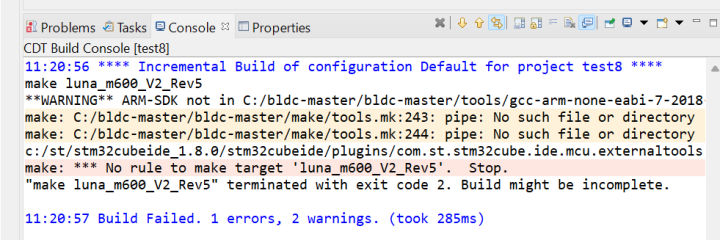
If I print it in Build property and try to build the firmware it gives me an error.

1764234867789.png

1764234909053.png
 
And when I compile the firmware how do I define that I need to build "LUNA_M600_V2_Rev5" firmware?
You should learn to read the hints of the forum users carefully!
https://endless-sphere.com/sphere/threads/vesc-for-bafang-m560.128914/post-1874826

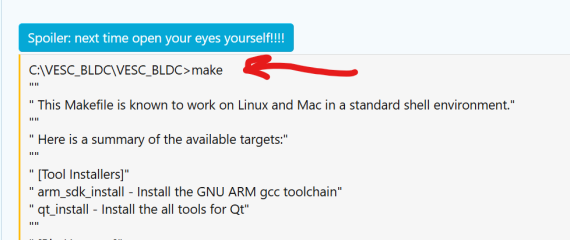
Just run "make" from the command line, to see, which choices are possible

C:\VESC_BLDC\VESC_BLDC>make
""
" This Makefile is known to work on Linux and Mac in a standard shell environment."
""
" Here is a summary of the available targets:"
""
" [Tool Installers]"
" arm_sdk_install - Install the GNU ARM gcc toolchain"
" qt_install - Install the all tools for Qt"
""
" [Big Hammer]"
" all_fw - Build firmware for all boards"
" all_fw_package - Packaage firmware for boards in package list"
""
" [Unit Tests]"
" all_ut - Build all unit tests"
" all_ut_xml - Run all unit tests and capture all XML output to files"
" all_ut_run - Run all unit tests and dump XML output to console"
""
" [Firmware]"
" fw - Build firmware for default target"
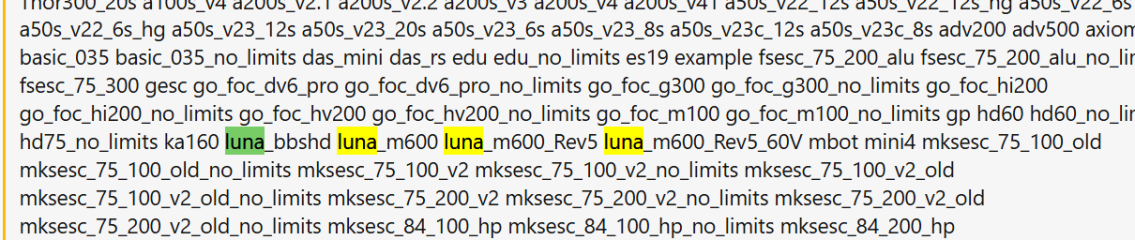
" supported boards are: 100_250 100_250_mkiii 100_250_mkiii_no_limits 100_250_no_limits 100_500 100_500_no_limits 140_300 40 410 410_0005ohm 410_005ohm 410_no_limits 45 46 46_0005ohm 46_33k 48 49 60 60_75 60_75_mk2 60_75_mk2_no_limits 60_75_no_limits 60_mk3 60_mk3_no_limits 60_mk4 60_mk4_no_limits 60_mk5 60_mk5_no_limits 60_mk6 60_mk6_hp 60_mk6_hp_no_limits 60_mk6_max 60_mk6_no_limits 60_no_limits 60v2_alva 60v2_alva_mk1 60v2_alva_mk2 75_100 75_100_V2 75_100_V2_0005ohm 75_100_V2_005ohm 75_100_V2_no_limits 75_100_no_limits 75_300 75_300_mkiv 75_300_mkiv_no_limits 75_300_no_limits 75_300_r2 75_300_r2_no_limits 75_300_r3 75_300_r3_no_limits 75_600 75_600_no_limits Cheap_FOCer_2 Cheap_FOCer_2_V09 Cheap_FOCer_2_V09_no_limits Cheap_FOCer_2_no_limits ENNOID_150V_mk8 JetFleetF6 Little_FOCer Little_FOCer_V3 Little_FOCer_V3_1 Little_FOCer_V4 RSR_DD_V1 RSR_DD_V1_005 RSR_DD_V2 RSR_DD_V2.1 TRONIC_250R Thor300_20s a100s_v4 a200s_v2.1 a200s_v2.2 a200s_v3 a200s_v4 a200s_v41 a50s_v22_12s a50s_v22_12s_hg a50s_v22_6s a50s_v22_6s_hg a50s_v23_12s a50s_v23_20s a50s_v23_6s a50s_v23_8s a50s_v23c_12s a50s_v23c_8s adv200 adv500 axiom basic basic_035 basic_035_no_limits das_mini das_rs edu edu_no_limits es19 example fsesc_75_200_alu fsesc_75_200_alu_no_limits fsesc_75_300 gesc go_foc_dv6_pro go_foc_dv6_pro_no_limits go_foc_g300 go_foc_g300_no_limits go_foc_hi200 go_foc_hi200_no_limits go_foc_hv200 go_foc_hv200_no_limits go_foc_m100 go_foc_m100_no_limits gp hd60 hd60_no_limits hd75 hd75_no_limits ka160 luna_bbshd luna_m600 luna_m600_Rev5 luna_m600_Rev5_60V mbot mini4 mksesc_75_100_old mksesc_75_100_old_no_limits mksesc_75_100_v2 mksesc_75_100_v2_no_limits mksesc_75_100_v2_old mksesc_75_100_v2_old_no_limits mksesc_75_200_v2 mksesc_75_200_v2_no_limits mksesc_75_200_v2_old mksesc_75_200_v2_old_no_limits mksesc_84_100_hp mksesc_84_100_hp_no_limits mksesc_84_200_hp mksesc_84_200_hp_no_limits r2 raiden7 rb rd2 resc rh solo solo_no_limits sparkf spesc stormcore_100d stormcore_100d_no_limits stormcore_100d_parallel stormcore_100d_v2 stormcore_100d_v2_no_limits stormcore_100dx stormcore_100dx_no_limits stormcore_100dx_parallel stormcore_100s stormcore_100s_no_limits stormcore_60d stormcore_60d+ stormcore_60d+_no_limits stormcore_60d_no_limits stormcore_60dxs stormcore_60dxs_no_limits str365 str365_no_limits str500 str500_01 str500_hp str500_hp_no_limits str500_no_limits uavc_omega uavc_qcube ubox_single_100 ubox_single_100_no_limits ubox_single_75 ubox_single_75_no_limits ubox_single_80 ubox_single_80_no_limits ubox_single_85_200 ubox_single_85_200_no_limits ubox_v1_75_micro ubox_v1_75_micro_no_limits ubox_v1_75_typec ubox_v1_75_typec_no_limits ubox_v2_100 ubox_v2_100_no_limits ubox_v2_75 ubox_v2_75_no_limits unity unity_no_limits uxv_sr warrior6 x12_pro24 x12_pro30"
" fw_<board> - Build firmware for target <board>"
" PROJECT=<target> fw - Build firmware for <target>"
" fw_<board>_clean - Remove firmware for <board>"
" fw_<board>_flash - Use OpenOCD + SWD/JTAG to write firmware to <target>"
""
" Hint: Add V=1 to your command line to see verbose build output."
""
" Note: All tools will be installed into C:/VESC_BLDC/VESC_BLDC/tools"
" All build output will be placed in C:/VESC_BLDC/VESC_BLDC/build"
""
 
You should learn to read the hints of the forum users carefully!
https://endless-sphere.com/sphere/threads/vesc-for-bafang-m560.128914/post-1874826


C:\VESC_BLDC\VESC_BLDC>make
""
" This Makefile is known to work on Linux and Mac in a standard shell environment."
""
" Here is a summary of the available targets:"
""
" [Tool Installers]"
" arm_sdk_install - Install the GNU ARM gcc toolchain"
" qt_install - Install the all tools for Qt"
""
" [Big Hammer]"
" all_fw - Build firmware for all boards"
" all_fw_package - Packaage firmware for boards in package list"
""
" [Unit Tests]"
" all_ut - Build all unit tests"
" all_ut_xml - Run all unit tests and capture all XML output to files"
" all_ut_run - Run all unit tests and dump XML output to console"
""
" [Firmware]"
" fw - Build firmware for default target"
" supported boards are: 100_250 100_250_mkiii 100_250_mkiii_no_limits 100_250_no_limits 100_500 100_500_no_limits 140_300 40 410 410_0005ohm 410_005ohm 410_no_limits 45 46 46_0005ohm 46_33k 48 49 60 60_75 60_75_mk2 60_75_mk2_no_limits 60_75_no_limits 60_mk3 60_mk3_no_limits 60_mk4 60_mk4_no_limits 60_mk5 60_mk5_no_limits 60_mk6 60_mk6_hp 60_mk6_hp_no_limits 60_mk6_max 60_mk6_no_limits 60_no_limits 60v2_alva 60v2_alva_mk1 60v2_alva_mk2 75_100 75_100_V2 75_100_V2_0005ohm 75_100_V2_005ohm 75_100_V2_no_limits 75_100_no_limits 75_300 75_300_mkiv 75_300_mkiv_no_limits 75_300_no_limits 75_300_r2 75_300_r2_no_limits 75_300_r3 75_300_r3_no_limits 75_600 75_600_no_limits Cheap_FOCer_2 Cheap_FOCer_2_V09 Cheap_FOCer_2_V09_no_limits Cheap_FOCer_2_no_limits ENNOID_150V_mk8 JetFleetF6 Little_FOCer Little_FOCer_V3 Little_FOCer_V3_1 Little_FOCer_V4 RSR_DD_V1 RSR_DD_V1_005 RSR_DD_V2 RSR_DD_V2.1 TRONIC_250R Thor300_20s a100s_v4 a200s_v2.1 a200s_v2.2 a200s_v3 a200s_v4 a200s_v41 a50s_v22_12s a50s_v22_12s_hg a50s_v22_6s a50s_v22_6s_hg a50s_v23_12s a50s_v23_20s a50s_v23_6s a50s_v23_8s a50s_v23c_12s a50s_v23c_8s adv200 adv500 axiom basic basic_035 basic_035_no_limits das_mini das_rs edu edu_no_limits es19 example fsesc_75_200_alu fsesc_75_200_alu_no_limits fsesc_75_300 gesc go_foc_dv6_pro go_foc_dv6_pro_no_limits go_foc_g300 go_foc_g300_no_limits go_foc_hi200 go_foc_hi200_no_limits go_foc_hv200 go_foc_hv200_no_limits go_foc_m100 go_foc_m100_no_limits gp hd60 hd60_no_limits hd75 hd75_no_limits ka160 luna_bbshd luna_m600 luna_m600_Rev5 luna_m600_Rev5_60V mbot mini4 mksesc_75_100_old mksesc_75_100_old_no_limits mksesc_75_100_v2 mksesc_75_100_v2_no_limits mksesc_75_100_v2_old mksesc_75_100_v2_old_no_limits mksesc_75_200_v2 mksesc_75_200_v2_no_limits mksesc_75_200_v2_old mksesc_75_200_v2_old_no_limits mksesc_84_100_hp mksesc_84_100_hp_no_limits mksesc_84_200_hp mksesc_84_200_hp_no_limits r2 raiden7 rb rd2 resc rh solo solo_no_limits sparkf spesc stormcore_100d stormcore_100d_no_limits stormcore_100d_parallel stormcore_100d_v2 stormcore_100d_v2_no_limits stormcore_100dx stormcore_100dx_no_limits stormcore_100dx_parallel stormcore_100s stormcore_100s_no_limits stormcore_60d stormcore_60d+ stormcore_60d+_no_limits stormcore_60d_no_limits stormcore_60dxs stormcore_60dxs_no_limits str365 str365_no_limits str500 str500_01 str500_hp str500_hp_no_limits str500_no_limits uavc_omega uavc_qcube ubox_single_100 ubox_single_100_no_limits ubox_single_75 ubox_single_75_no_limits ubox_single_80 ubox_single_80_no_limits ubox_single_85_200 ubox_single_85_200_no_limits ubox_v1_75_micro ubox_v1_75_micro_no_limits ubox_v1_75_typec ubox_v1_75_typec_no_limits ubox_v2_100 ubox_v2_100_no_limits ubox_v2_75 ubox_v2_75_no_limits unity unity_no_limits uxv_sr warrior6 x12_pro24 x12_pro30"
" fw_<board> - Build firmware for target <board>"
" PROJECT=<target> fw - Build firmware for <target>"
" fw_<board>_clean - Remove firmware for <board>"
" fw_<board>_flash - Use OpenOCD + SWD/JTAG to write firmware to <target>"
""
" Hint: Add V=1 to your command line to see verbose build output."
""
" Note: All tools will be installed into C:/VESC_BLDC/VESC_BLDC/tools"
" All build output will be placed in C:/VESC_BLDC/VESC_BLDC/build"
""
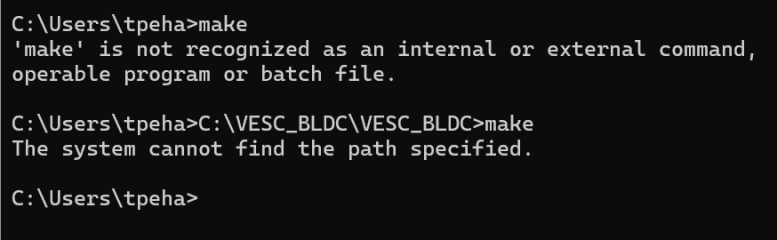
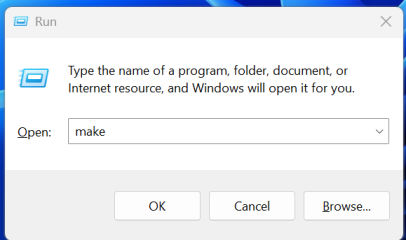
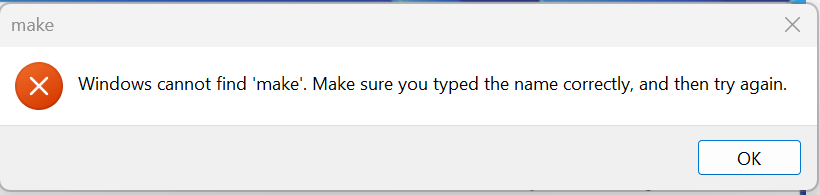
You said "Just run "make" from the command line, to see, which choices are possible. " But It does nothing

1764264300281.png

1764263564765.png

1764263581515.png


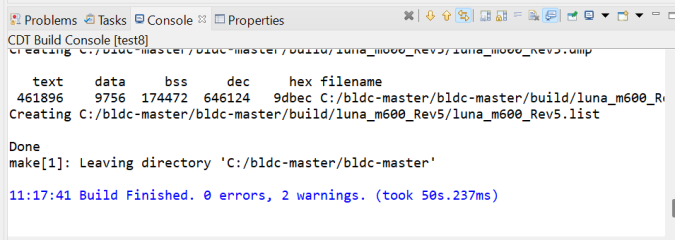
But it looks like it works through with the STM32cubeIDE program (not with all of them though for some reason, but it looks like version 1.8.0 works). When I print "luna m600" in the property and hit the hammer icon it looks like it generates the bin file (with some warnings thought, I do not know if if is critical). So it looks like we need to figure out what to print in the property to generate bin file for luna m600 V2 Rev5 and where the code for the luna m600 V2 Rev5 is.
 
Last edited:
So it looks like we need to figure out what to print in the property
Have you really not clicked on the spoiler?
Do you really don't know how to set the path to the make.exe? Do you can't assume, that the make command has to be run from the project folder?!
 
I opened the spoiler and saw the line with word "make" and copied it to "Command Prompt" application.

1764266118806.png

I do not know how to set the path to make.exe. Is it what should be set too?

I am not familiar with make command and project folder so I assume nothing and just follow the online manuals I found. But if you know a manual with that make command and project folder I can try that.
 
And you didn't see the list of boards in there??? Open your eyes and seek for luna_....
Yes, there are luna m600 options there but none of them is luna_m600_V2_Rev5. We need luna m600 V2 Rev5 particularly for the hardware we have

1764267975081.png


Here, I can build luna_m600_Rev5

1764271161208.png


But I can not build luna_m600_V2_Rev5 or luna_m600_v2_Rev5

1764271272004.png


As I understand luna_m600_V2_Rev5 is what we want. Not luna_m600, not luna_m600_Rev5 and not luna_m600_Rev5_60V. I checked the declared pins on the MCU in the hw.h files and some pins functions do not match the pin functions of the controller we have.
 
Last edited:
Last edited:
Yeah, we need to give it a try. Let's hope it will work.

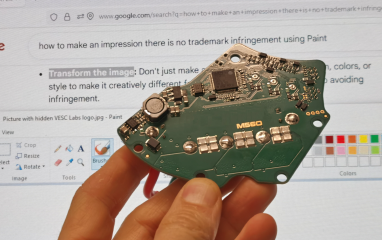
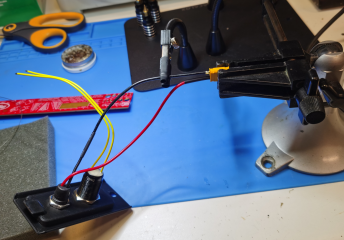
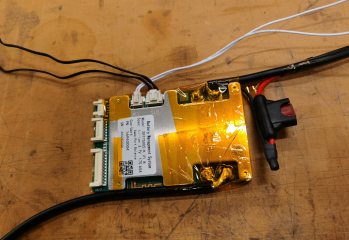
I just destroyed that nasty illegal motor controller we made as Benjamin Vedder asked us to do and soldered a brand new completely legal decriminalized version in accordance with the Benjamin Vedder guidelines! Here is the picture with the proof. Man, I soldered this thing whole night, that was quite a sweat but I hope it was worth it!

So now we need to figure out how to adjust the Luna firmware to make it works with the new Bafang M560 torque sensor.

1764301698839.png
 
Last edited:
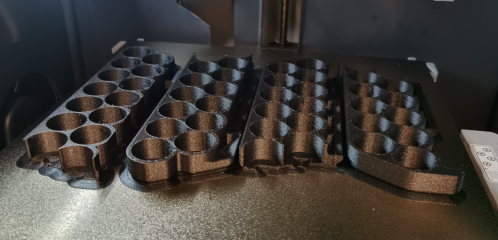
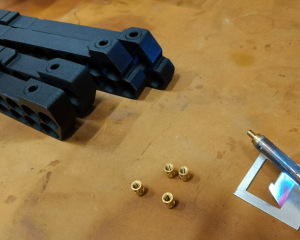
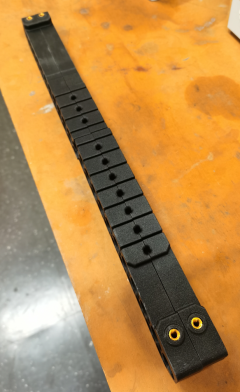
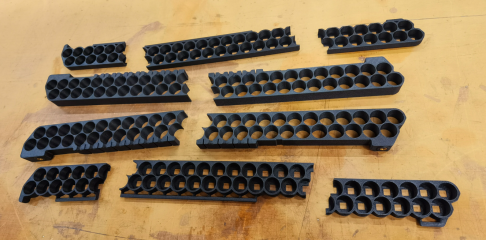
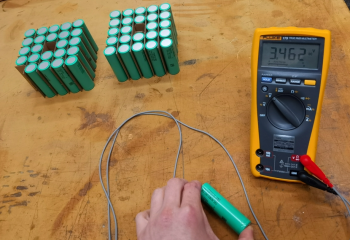
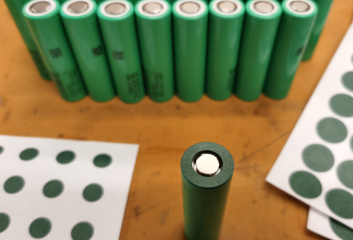
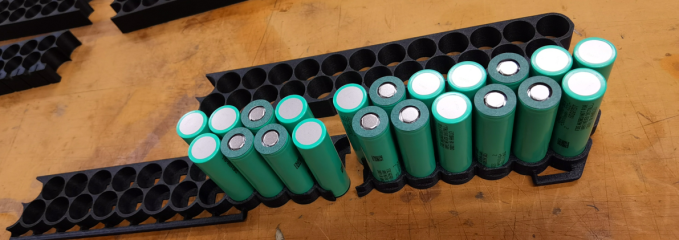
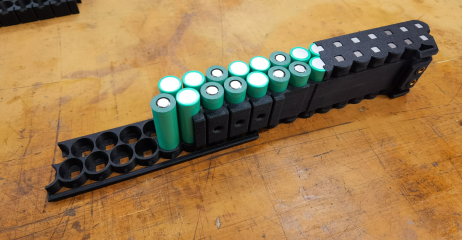
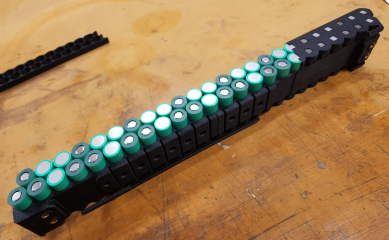
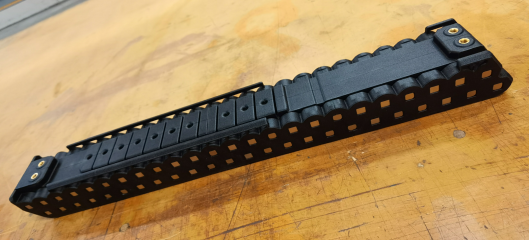
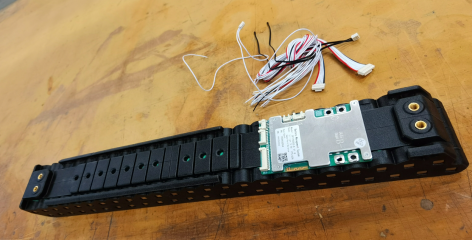
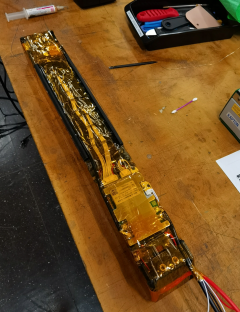
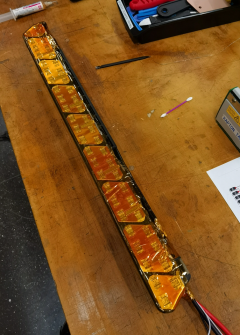
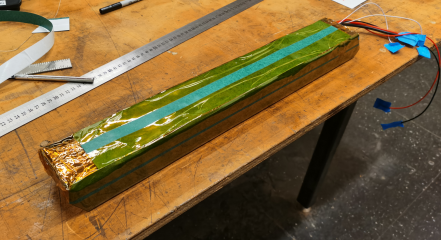
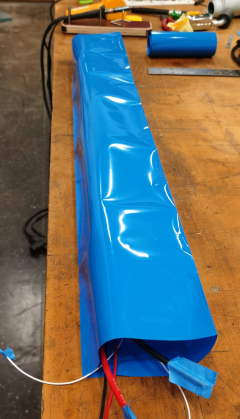
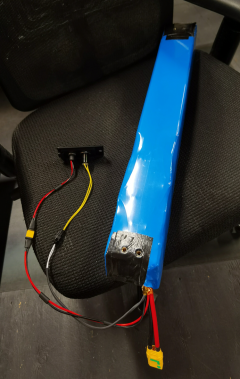
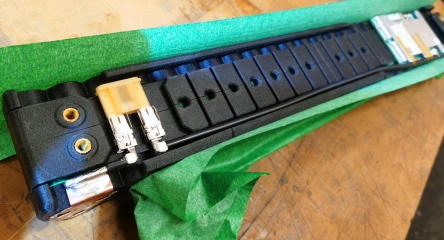
Printed the last parts of the battery housing and started assembling the battery!

1764464074847.png

1764464102741.png

1764464127629.png

1764464187357.png

1764464149208.png

1764464169571.png

1764464212189.png

1764464230329.png

1764464251247.png

1764464273652.png

1764464293757.png

1764464324392.png

1764464347833.png

1764464371202.png

1764464407081.png

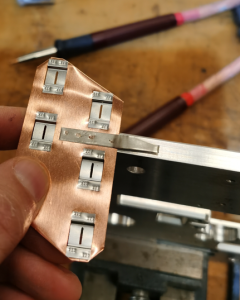
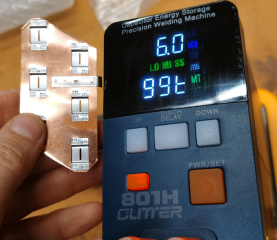
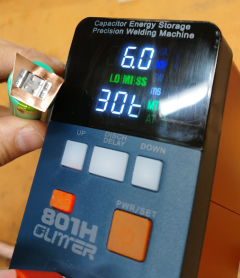
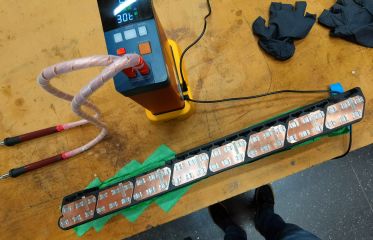
Here are the settings for the welding if somebody wants to replicate:

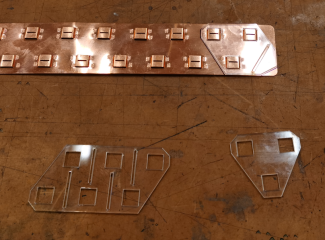
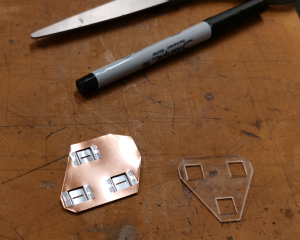
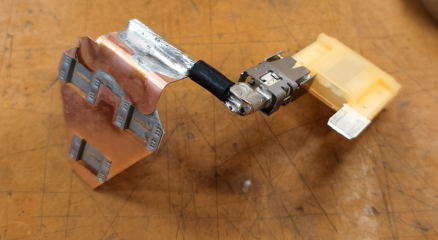
For the solid nickel strip 0.2mm thick tab on 0.3mm thick copper on aluminum support surface with each spot welded twice at straight and reversed polarity

1764464473457.png


For the copper nickel sandwich buss bar to the battery cell welded regular way

1764464506667.png

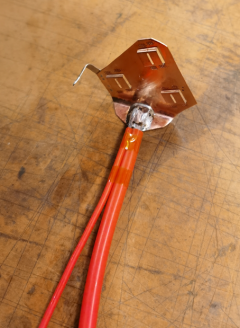
Copper to copper is soldered

1764464537129.png

1764464576819.png

1764464607211.png
 
Last edited:
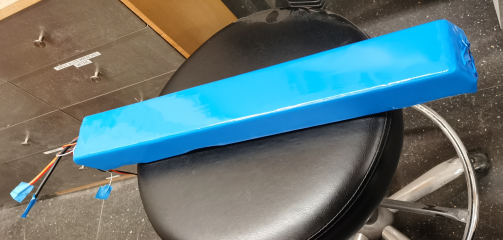
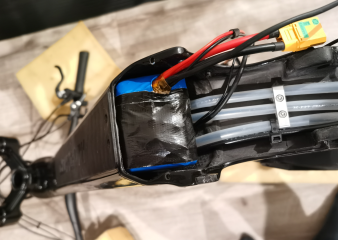
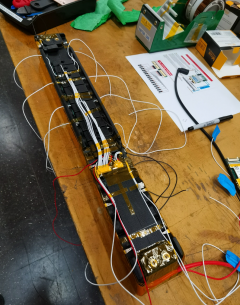
The new powerful 60A 60V 15000mAh 900Wh 3600W battery is complete and installed and is in the first charging process right now! We are getting closer to see what this controller is really capable of guys!

It is unbelievable such tiny frame can take so much battery!

1764621851363.png

1764621902053.png

1764623468152.png

1764621943512.png

1764621999383.png

1764621978657.png

1764622033689.png

1764622069438.png

1764622114711.png

1764622138738.png


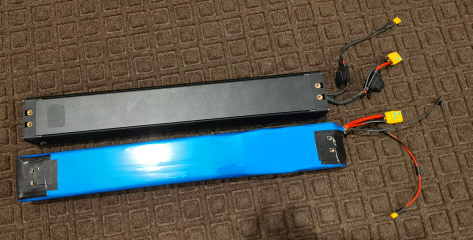
Original Markhor Kunlun battery vs new Markhor Kunlun battery. More powah, more capacity, more voltage, more everything!

1764622339867.png

Fits nice and snug!

1764622508984.png

The new cover with battery power button and charging port

1764622558715.png

1764622587794.png

1764622858193.png

1764622635272.png
 
Last edited:
Took it for a spin today to test the full power with the new battery and It works guys! The VESC for Bafang M600 controller with LUNA X2.5 60V 50A tune and 60V 60A battery is a high speed wheelie machine beast!


1764717619248.png

The power gets pretty close to the 3000W Innotrace controller. I would say maybe 70-80% of the Innotrace controller power. I was able to achieve 40 mph speed on the road where I can achieve 47 mph with VESC for Bafang M620 (Innotrace) controller which is still a lot. On an uphill section of a road where I can go 32 mph with Innotrace controller I can go 28 mph with this controller. So it is quite close.

You can use it at such power lever with 100% duty time maybe for 5 minutes before the M600 motor starts overheating which I consider is very good. The M620 motor can go probably twice longer at such power before it starts overheating.

After 10 minutes of ride at maximum assist level mode I checked the temperatures with the VESC Tool application on the my phone and the motor windings temperature was 80C. But the controller PCB was barely warm, it was only 40C! So this controller is certainly overkill for this motor which is a good thing. I believe this controller can easily crank even the M620 motor without overheating and the motor is still going to be the bottleneck.

This thing pops wheelies like nothing and it is easier to control than Innotrace controller (probably because of the motor torque follows closer to the torque sensor torque).

Since the controller is getting barely warm you can probably use low melt solder to ease the soldering process. In fact I accidentally soldered all the components on the MOSFET side of the PCB with bismuth low melt solder paste and it works no problem (I did not pay attention and just grabbed a random tube with this solder paste from the shelf and realized this is a low melt solder only after I noticed how fast and easy it melted on the hot plate with the components). I still recommend you to use a regular solder for connectors and wires because of bismuth alloy solder has lower adhesion and you can delaminate the connector or crack the soldering joint using the connector.

The battery temperature after the ride was close to the environment temperature so the Samsung 50S cells fit perfectly for this application in such configuration.

After hitting 80C the motor cools down pretty fast at lower power modes. You probably can use this controller and motor to commute with traffic on 25-30 mph flat roads no problem. For 35 mph roads you better use VESC for Bafang M620 controller or Innotrace controller with M620 motor.

So I highly recommend you this controller but you better pair it with a 60V 60A battery.
 
Last edited:
You have to look to the hardware specific header file.
https://github.com/vedderb/bldc/blob/master/hwconf/luna/m600/hw_luna_m600.h

All other Luna m600 header files include this one...

The "V2" is simply missing in the header file name, as @phobos already showed in #227

Simply flash a self compiled firmware and test it, you will see, if it works.
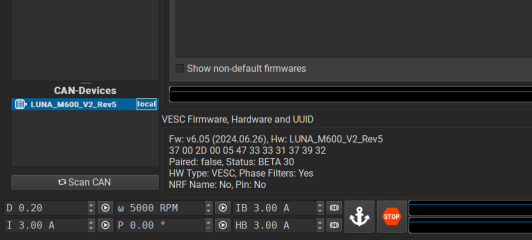
OK, let's get back on track. I flashed the "luna_m600_Rev5.bin" the STM32cubeIDE generated on the Luna controller with an ST-Link V2 dongle, connected it to VESC Tool with USB and it is different firmware and a bunch of the motor settings are messed up (like encoder for instance, motor poles and probably most of the other stuff). I also noticed the firmware version and date are different

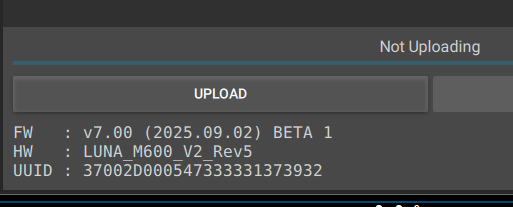
Here is the new firmware I built

1764823403966.png

1764823681732.png

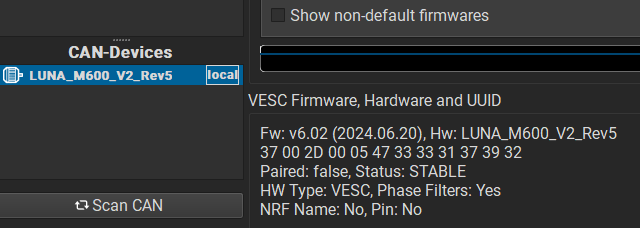
And here is the firmware I dumped from the controller a few months ago

1764823504697.png

1764823656934.png

How do I build the good old v 6.02 firmware? I feel like this new firmware will burn the controller once I got the power connected or try to do something with it.

What is going on here? Do you think marcos or VESC guys did it for us on purpose?

I guess we need the "bldc-master" archive with the source code captured before 2025.09.02 and after 2024.06.20. Anyone can share the achieve captured between those dates please? Ideally captured even before we started the reverse engineering process publicly on the forum.
 
Last edited:
You can go backwards in the commits at GitHub until the first day of the VESC project. So no need for having something "captured". That's the spirit of open source, that is so hard to understand for you obviously....

 
You can go backwards in the commits at GitHub until the first day of the VESC project. So no need for having something "captured". That's the spirit of open source, that is so hard to understand for you obviously....

Is there any way to tell which VESC firmware is commit with FW: v6.02 (2024.06.20) with STATUS: STABLE without building firmware from archives and flashing the firmware on the controller and reading it with VESC Tool?

I went through a bunch of archives between today and 2024.06.20 and the firmware versions do not make any sense. All of them are above 6.02 and all of them have status BETA

Like here is the first update after 2024.06.20


And here is what I see after building the firmware, flashing it on the controller and connecting it to the VESC Tool through USB.

1764836914259.png
 
with STATUS: STABLE
I don't know exactly, but I guess you will find the "Stable" version in the branch "release 6.02"
I don't know, why the VESC community doesn't use the github "Release" function, but put "releases" as branches to the repo. :unsure:

1764837814790.png
Edit: See the README of the VESC tool:

This is the source code of VESC Tool. A pre-compiled binary of both the stable release as well as the development release packaged with all the matching firmware for all supported hardware can be downloaded at VESC Project

The stable binary is available for Linux, Windows, MacOS, Android and iOS. The development binary is available for Linux, Windows and Android and is updated every few days.

There was a major change in the VESC tool beta some days ago, see Benjamin's post at Discord:
https://discord.com/channels/904830990319485030/910253910655123566/1437004050762829936

The VESC Tool beta from today has a large update when it comes to firmwares that I would like to get some feedback on. Firmwares are no longer included, you now have to download them from my server at least once after downloading VESC Tool. They are then stored in the application cache, so VESC Tool can still be used for updating firmwares after they have been downloaded at least once.
 
Last edited:
I don't know exactly, but I guess you will find the "Stable" version in the branch "release 6.02"
I don't know, why the VESC community doesn't use the github "Release" function, but put "releases" as branches to the repo. :unsure:

View attachment 381650
Edit: See the README of the VESC tool:


There was a major change in the VESC tool beta some days ago, see Benjamin's post at Discord:
https://discord.com/channels/904830990319485030/910253910655123566/1437004050762829936
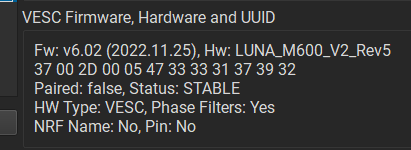
That's weird. I build that release_6_02 archive for luna_m600_Rev5 and the firmware number is v6.02 and the status is STABLE, but the date is different (2022.11.25)

1764965821934.png

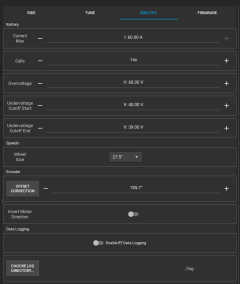
The user interface menu is slightly different too and it does not have torque sensor calibration function and luna presets in the BIKE CFG menu. I guess we need to keep searching

1764965983630.png
 
There is something weird with that v6.02 (2022.11.25) firmware. After I matched the settings in VESC Tool to v6.02 (2024.06.20) firmware (some settings in the v6.02 (2022.11.25) firmware I can observe with VESC Tool are different) and calibrated the throttle with VESC Tool mobile the motor keeps spinning after applying and releasing the throttle while with v6.02 (2024.06.20) firmware it worked fine with throttle after calibrating the throttle. I feel like there are some critical differences. They might implemented some safety features, fixed bugs and other stuff you can not control over VESC Tool.

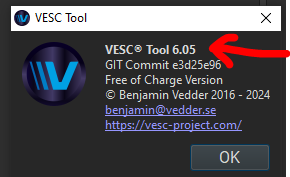
And those numbers (v6.02, v6.05 and v 6.06) in the firmware name are related to the VESC Tool application version and not to the actual version of the controller firmware? I found the VESC Tool application has similar number

1764988752414.png

Let's say if I build 6.05 firmware for luna_m600_Rev5 which is probably more current version, how do I know it is for the hardware we have? Marcos claimed on Discord he changed a bunch of things and the controller we have is not the current version. And since our "mostly legal" controller based on the previous revision of the controller (M600-rev6 2022-12 marked on the PCB) how do I know which fresh firmware is for our controller?

1764985785043.png

I built dozens of "luna_m600_Rev5.bin" files from different archives and forks and commits including from Luna gitgub and did not find v6.02 (2024.06.20) firmware.

Mxlemming tried to extract the helpful information from marcos for us but had no success and Luna does not post such information either.
 
Last edited:
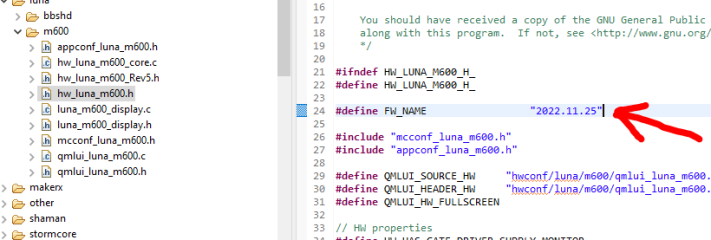
I found a line in the "hw_luna_m600.h" file that looks like the date which is a part of the firmware name because of it matches the displayed firmware name of the firmware I built.

Is there some kind of search function on the GitHub so we can use it to find the firmware with code

#define HW_LUNA_M600_H_

#define FW_NAME "2024.06.20"

?

If we can find it then it is probably going to be the code of the firmware we are looking for.


1764993426846.png
 
Back
Top